Oilon Device Portal navigation
To access to Oilon Device Portal, you must log in using Oilon Auth.
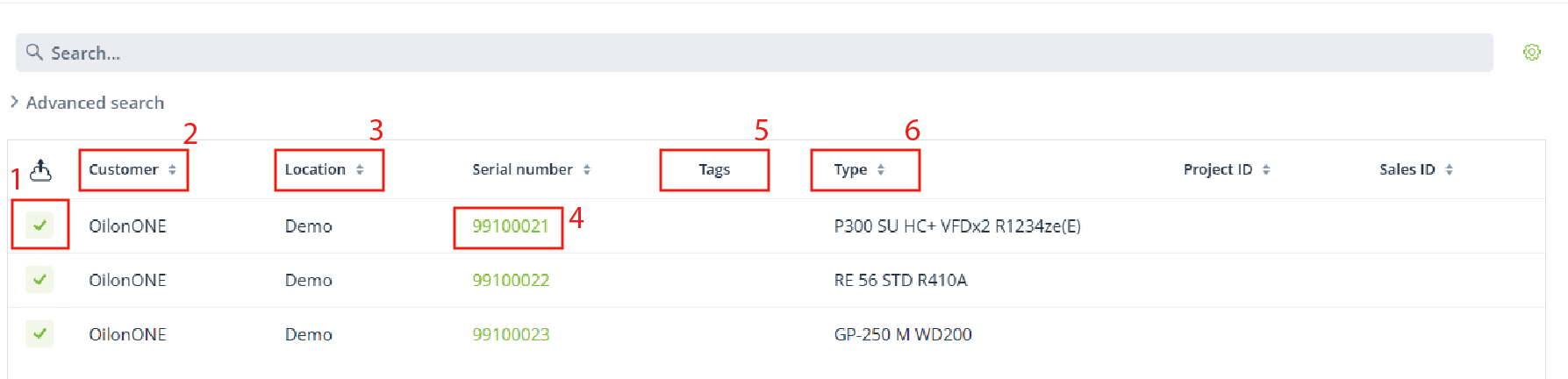
The page presents the following informations:
IoT connection status
Customer - refers to whom has order the product from Oilon
Location - Refers to sub-customer and/or the location where the product is installed
The product serial number (About permission).
Tag - Identification name of the product
Type - Specific product name
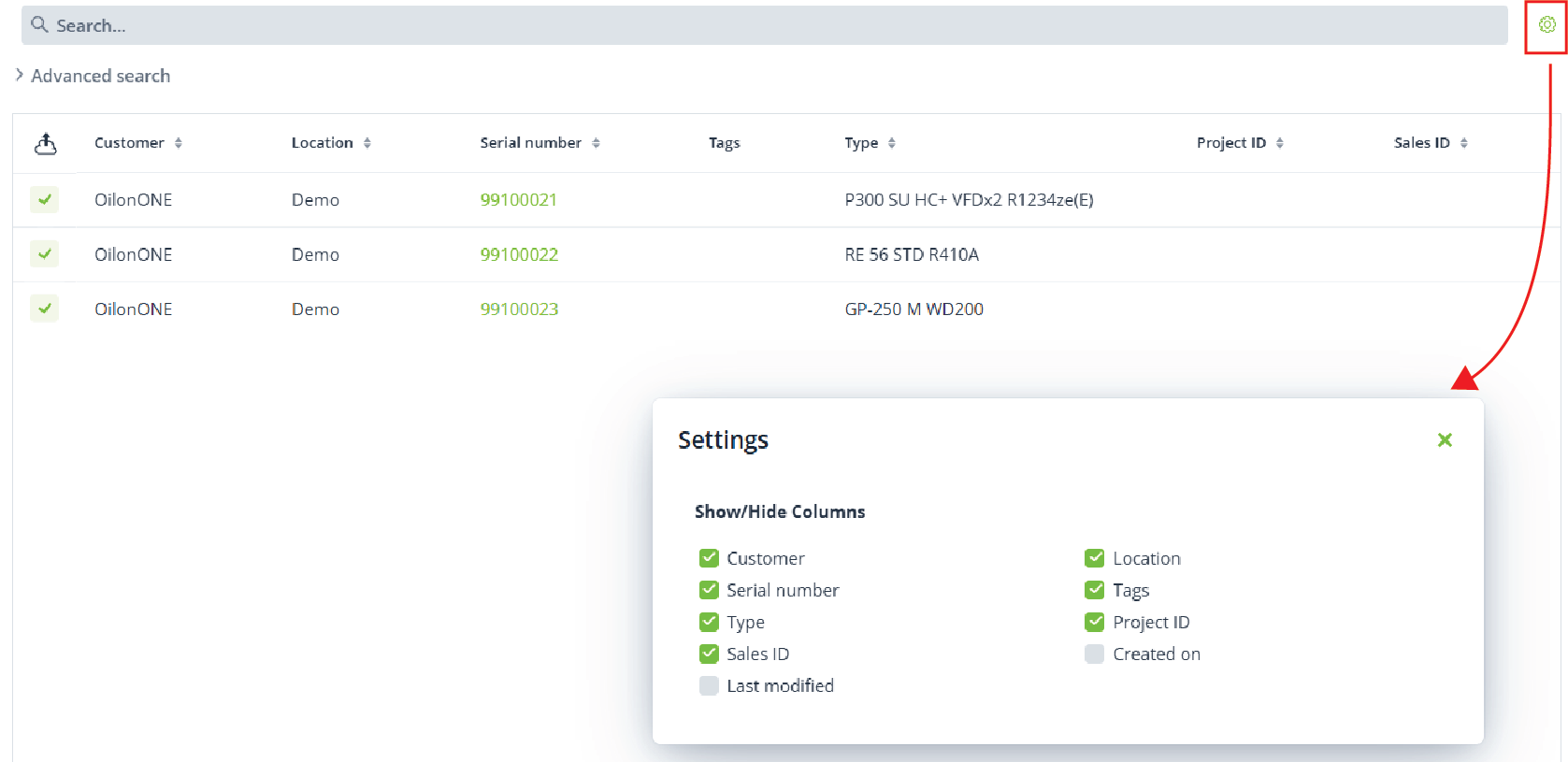
The search settings tool allows the personalization of the view:
The search toolbar can be used to find product serial numbers, customers, locations, tags, projects, sales IDs, and other available data.
If you can’t find the serial number, make sure you have granted the necessary permission.
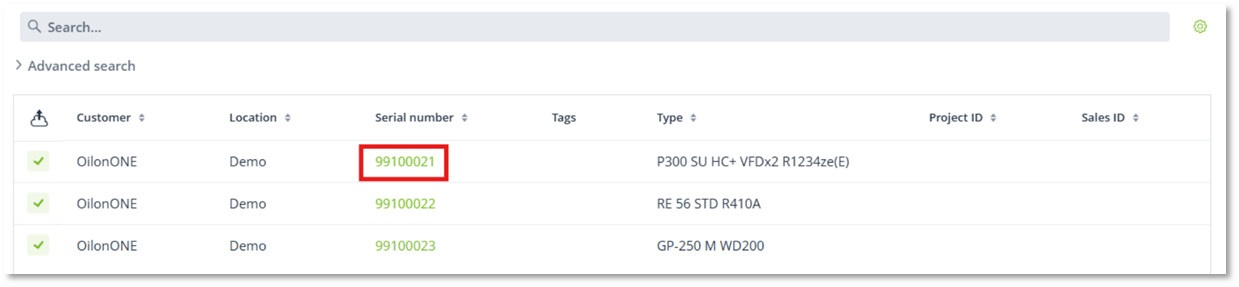
Serial number access
To access to device click the serial number. Product‑related details, such as location name, address, contact information, and tags, can be updated. Click with the mouse on an individual row, and it will show that device on the map and open more details about it.
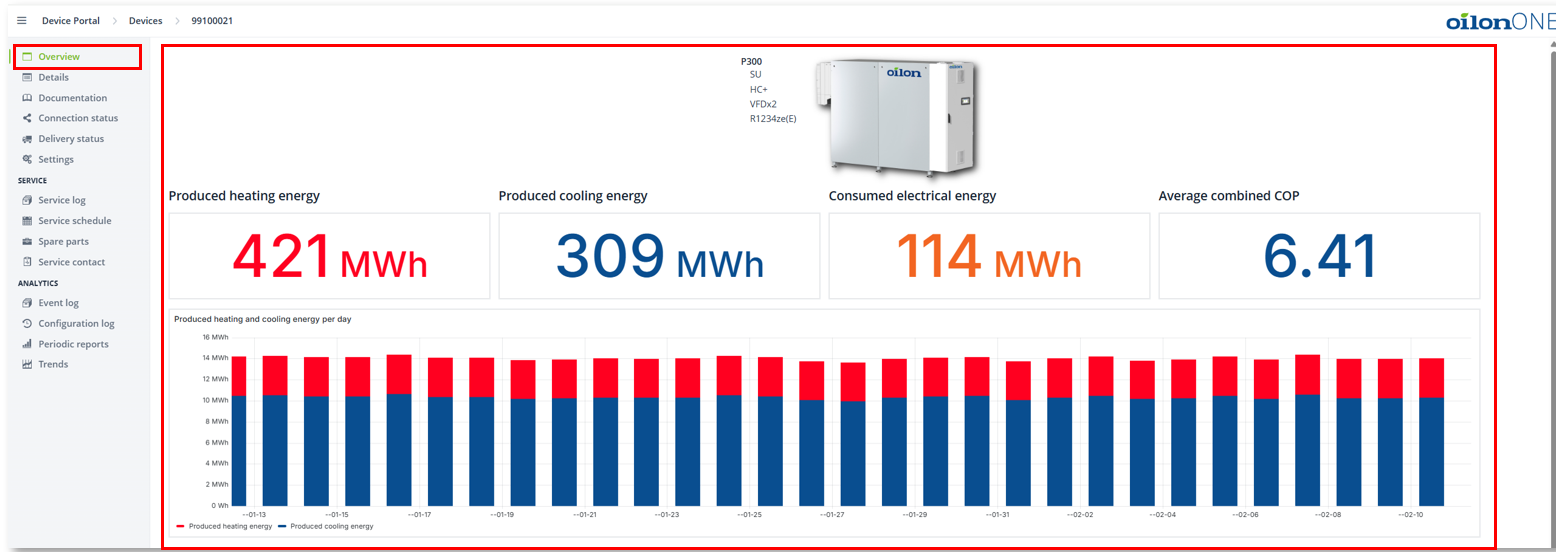
Overview
The section brings in the data from the last 30 days of operation when the product is connected through internet connection.
All Oilon pumps can be connected to the internet, you can view the device’s operating data directly in the device portal, activate reports and enables extended remote support. For burners the IoT solution for LMV automation burners provides a secure, one‑way method for receiving operational data.
Please ask for more information about Oilon IoT solution to your Oilon contact!
Documentation
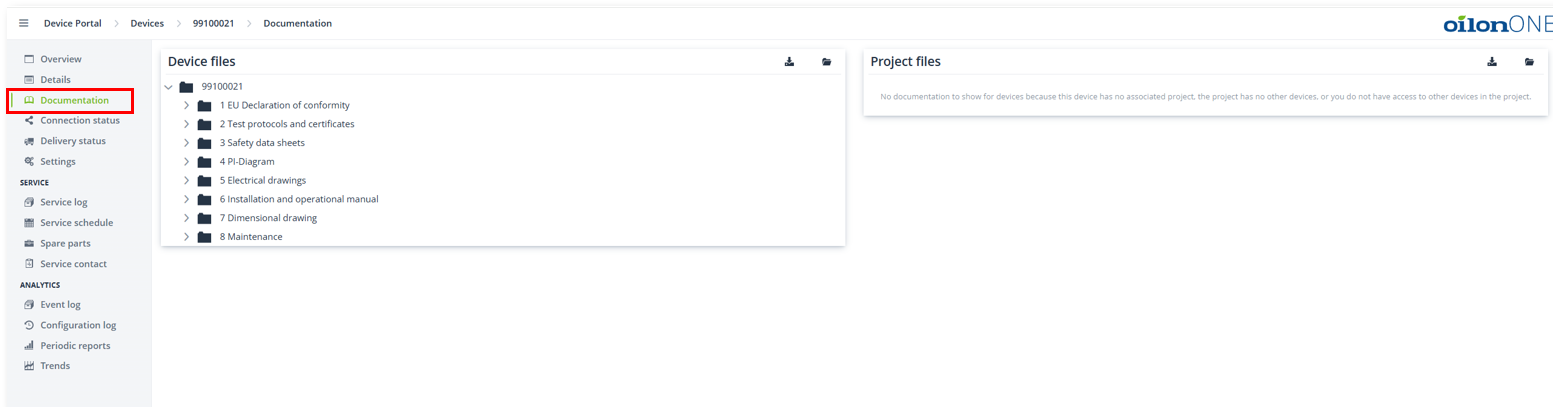
The section provides all documentation related to the product. The Oilon documentation team prepares the material, uploads it to the Device Portal, and informs the customer by email when the documentation becomes available. Documents can be viewed online or downloaded. Uploading or updating material is performed by personnel from the Oilon documentation team. Documentation sharing through OilonONE has been available since 01.11.2024.
Connection status
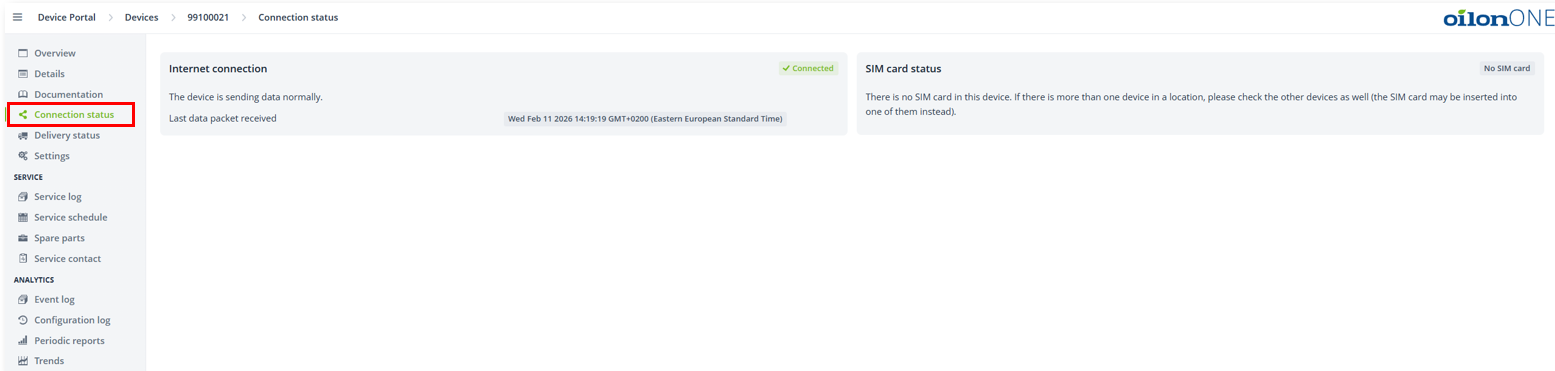
The section provides information about the status of the internet connection when the product is online. It gives a first glimpse into whether the device is connected and what type of connection is active. The page shows connection interruptions immediately in real time.
Delivery status
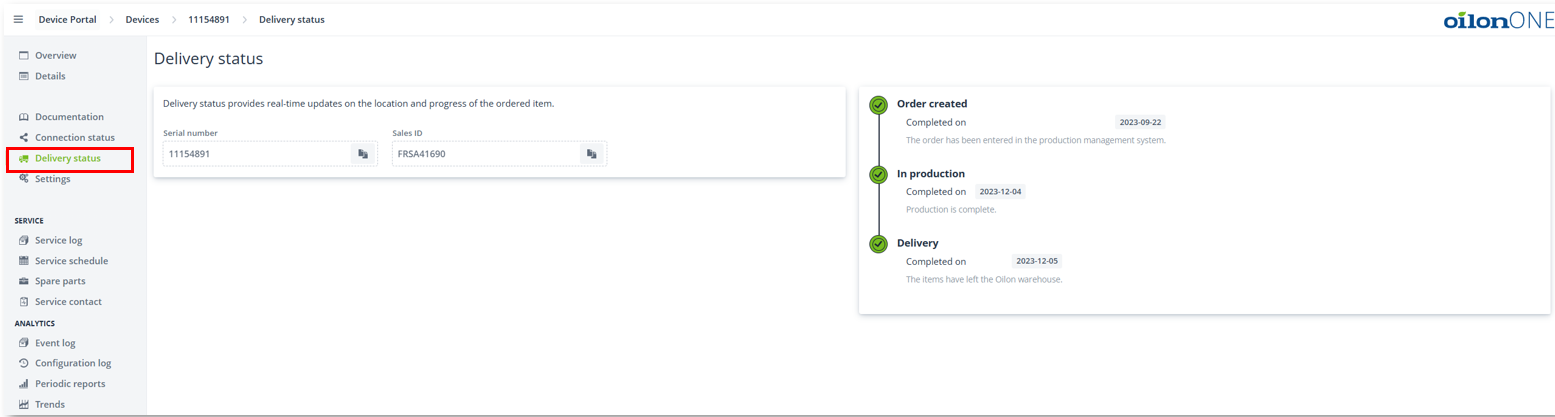
The section provides information about the delivery progress in three main stages. It updates automatically as each stage progresses.
Order created: Indicates that the order has been entered into the management system. In production: Shows the estimated production completion date and turns green once production is completed. Delivery: Displays the estimated delivery date agreed during the sales phase and turns green when the order leaves Oilon’s warehouse.
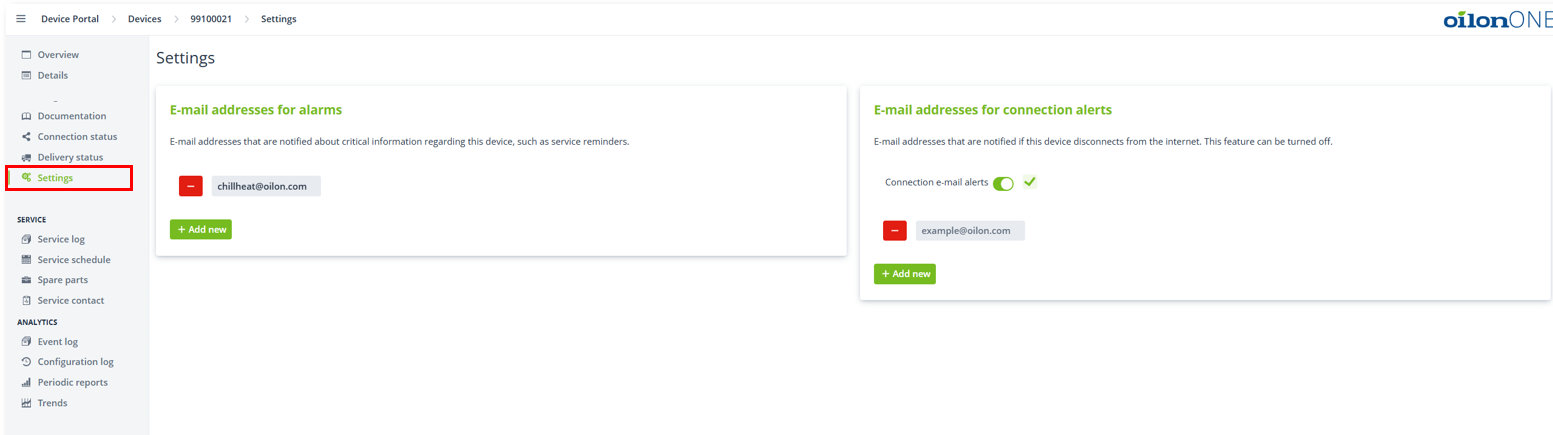
Settings
The section is related to products that are connected through internet connection. Users can independently add or update email addresses. This allows the system to alert them in case of alarms that require human attention. The system is optimized to send email notifications only for specific types of situations. Additionally, failures in the internet connection can also be reported by the system.
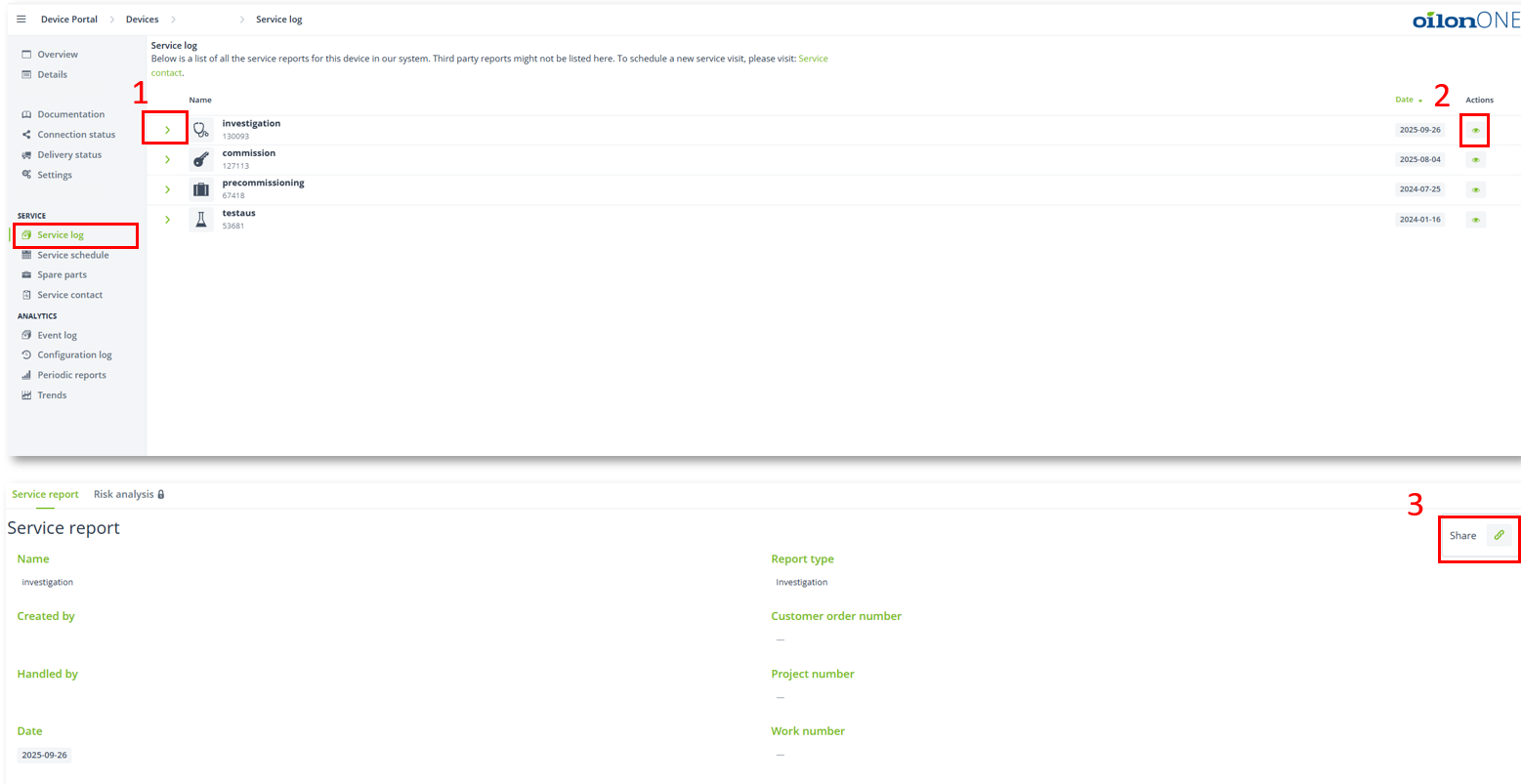
Service log
The section groups all reports related to the product, when maintenance is performed by Oilon service.
Reports can be opened for a short overview.
Detailed report information is available.
Reports can be shared when needed also to whom that does not have a OilonONE account.